It can be challenging to deal with the complexities of managing servers, scaling infrastructure, and maintaining uptime—all while trying to build and deploy applications quickly. This constant balancing act leads to frustration, wasted time, and unnecessary overhead. Serverless functions eliminate the need to manage servers, so developers can focus on deploying applications with ease. Especially when vibe coding, developers rely on lightweight serverless functions instead of building full infrastructure.
A developer working on a cloud-based image-sharing app can use serverless functions to simplify image processing. When a user uploads a photo, a serverless function is triggered to resize the image for different devices automatically. The same pattern applies to AI use cases where preprocessing data, inference jobs, or handling API requests are involved. This Function-as-a-Service (FaaS) model scales effortlessly, allowing the app to handle anything from a few to thousands of uploads without the developer needing to manage all the backend details. The serverless function takes over managing cloud application performance, increasing cloud ROI by reducing server management costs—so developers can focus on building the features that matter. Let’s explore the differences between AWS Lambda vs DigitalOcean Functions, one of the top AWS Lambda alternatives. The serverless comparison highlights how different platforms approach scaling, pricing, and operational complexity.
Key takeaways:
-
Serverless functions help developers focus on writing code without worrying about managing infrastructure.
-
AWS Lambda offers language support and deep AWS integration. However, it can be a steep learning curve for developers unfamiliar with the AWS ecosystem. Its pricing model can also make cost management harder, with additional charges for services such as API Gateway and data transfers.
-
DigitalOcean Functions offers a flexible and efficient serverless computing solution to run code on demand and automatically scale to meet fluctuating workload demands.
-
The right serverless platform depends on workload size and team experience. Platforms like DigitalOcean can reduce setup effort and provide straightforward pricing.
What is a serverless function?

A serverless function is a single-purpose, stateless piece of code that is executed in response to an event without the need to manage the underlying physical infrastructure. In a serverless computing environment, developers can focus on writing code while the cloud provider scales and maintains the servers required to run that code. Serverless functions are short-lived and designed to handle specific tasks, such as processing data streams, handling HTTP requests, or performing backend logic.
Watch an overview of DigitalOcean Functions to explore core concepts and see how they connect with your existing services.
Serverless functions versus containers
There are a few distinctions to consider for comparing serverless functions to containers:
-
Serverless functions run event-driven code without requiring the management of servers or runtime environments.
-
Containers package applications with their dependencies, offering more control over how workloads run and scale.
| Factor | Serverless functions | Containers |
|---|---|---|
| Infrastructure management | Fully managed by the cloud provider; no server provisioning or maintenance | You manage container images and the orchestration platform |
| Execution model | Event-driven and short-lived | Long-running services or batch jobs |
| Control & flexibility | Limited control over runtime and environment | Greater control over OS, runtime, and dependencies |
| Cost model | Pay only for execution time and requests | Pay for allocated compute resources, even when idle |
| Use case | APIs, background jobs, event processing | Microservices, stateful apps, batch processing jobs |
Confused about choosing between serverless and containers for your next application? Read our guide about serverless comparison with containers to understand scalability, cost, and operational trade-offs.
What is DigitalOcean Functions?
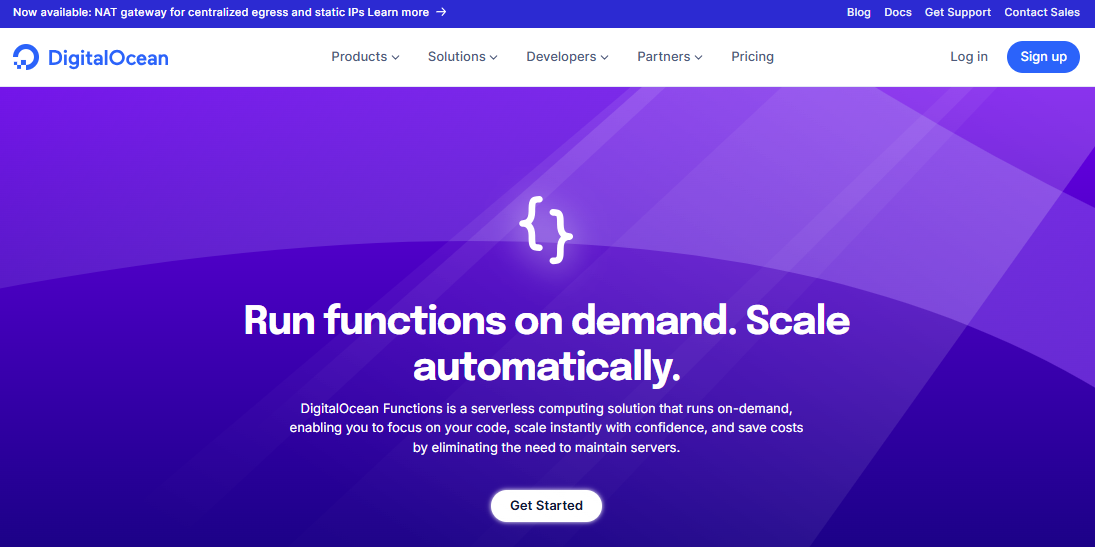
DigitalOcean Functions is a serverless platform to run code on demand without managing servers, providing a straightforward method to extend applications with event-driven logic. With Functions, you can combine long-running servers and on-demand functions in a unified workflow. This approach can make it easier to modernize applications incrementally, without managing underlying infrastructure. Functions automatically scale vertically or horizontally based on incoming requests, so applications can handle variable workloads without pre-provisioning resources. DigitalOcean Functions limits—like defined boundaries around execution time, memory, and concurrency—work well for use cases like webhooks, automation, scheduled tasks, and HTTP APIs.
DigitalOcean Functions key features:
-
Supports programming languages like Node.js, Python, Go, and PHP.
-
Securely connects serverless functions to DigitalOcean Managed Databases during app creation, and maintains data reliability.
-
Integrates seamlessly with DigitalOcean App Platform for easy app deployment and automatic scaling.
DigitalOcean Functions pricing (accurate as of January 2026):
-
The free tier includes 90,000 GiB-seconds of compute per month.
-
After free tier inclusions are exceeded, functions are billed $0.0000185 per GiB-second for additional memory and run time, with a minimum runtime of 100 ms per invocation.
DigitalOcean Functions uses a pay-as-you-go pricing model designed to keep costs predictable. You only pay when your functions run, with no charges for idle resources or pre-provisioned capacity.
Learn how DigitalOcean Functions integrates with App Platform, Managed Databases, and the DigitalOcean CLI to deploy serverless functionality quickly.
What is AWS Lambda?
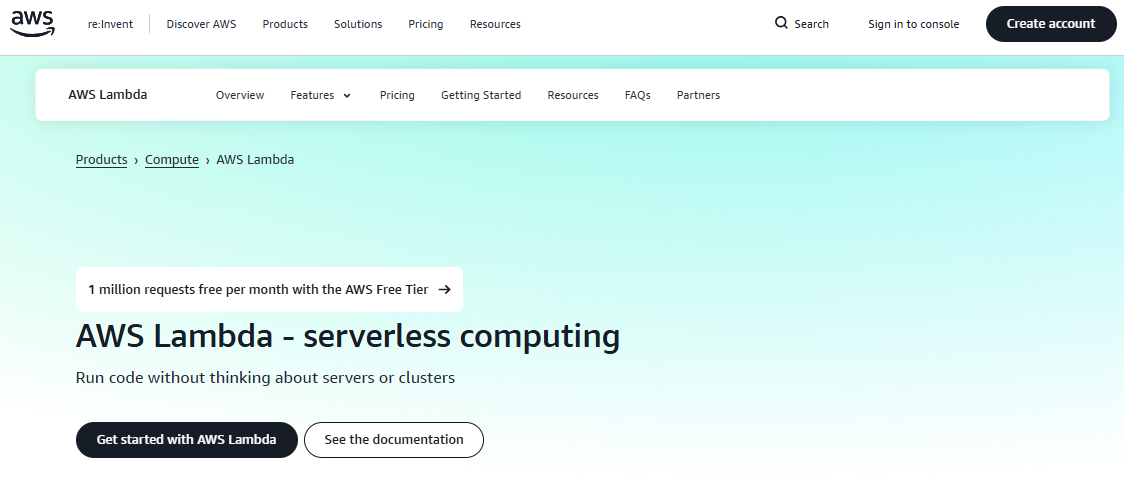
AWS Lambda is a serverless compute service to run code in response to various events that integrates tightly with AWS services for deploying applications. It handles infrastructure provisioning across AWS Regions. Lambda is used for event-driven workloads such as APIs, data processing, and backend services. Lambda integrates with stateful orchestration patterns to coordinate distributed microservices while preserving execution state and supports durable, multi-step workflows with built-in checkpoints. These capabilities make it suited for complex architectures with data pipelines and multi-stage backend systems.
AWS Lambda key features:
-
Supports programming languages like Java, Python, Node.js, Go, C#, PowerShell, and Ruby code.
-
Scales function execution based on incoming request volume.
-
Integrates with AWS ecosystem, including services like Amazon S3, Amazon DynamoDB, and Amazon Kinesis.
AWS Lambda uses a pay-as-you-go pricing model based on function requests and execution duration. The free tier offers 1 million requests per month and 400,000 GB-seconds of compute time per month. After the free tier, AWS Lambda serverless platform costs vary by region and architecture (x86 and Arm).
As teams scale, managing multiple services can add operational overhead. Explore the key differences in AWS vs DigitalOcean to understand whether DigitalOcean’s pricing model and focused product set can help your teams move faster with less friction.
Serverless computing: AWS vs DigitalOcean
When choosing between AWS Lambda and DigitalOcean Functions, key factors include pricing, ease of deployment, and integration. This serverless platform comparison helps you evaluate both options to find the best fit for building your application.
Developer experience
DigitalOcean Functions offers a sleek developer experience, prioritizing simplicity and speed. Setup is straightforward, with fewer configuration steps and a design that reduces decision overhead.
While AWS Lambda provides flexible integrations, developers must navigate through additional consoles for Identity and Access Management (IAM) and event sources. This can increase the learning curve and setup time.
Monitoring and logging integration
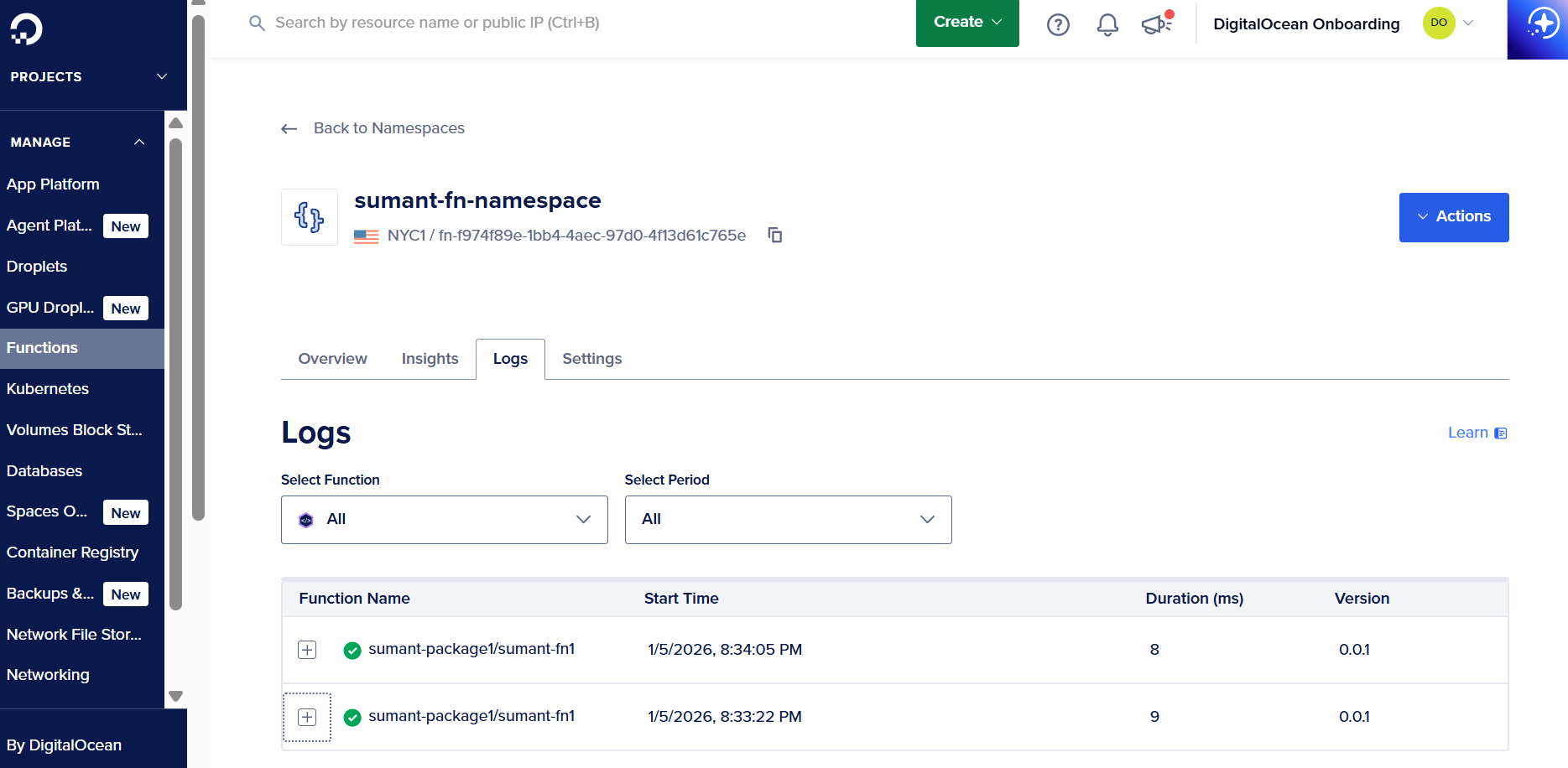
DigitalOcean Functions surfaces logs directly within the DigitalOcean dashboard to view execution output in the same environment used for deployment and monitoring. For more advanced use cases, logs can be forwarded to DigitalOcean Managed OpenSearch for centralized log analysis without complex configuration.
With AWS Lambda, function logs are written to Amazon CloudWatch Logs. While this provides filtering and analysis capabilities, developers need to open the CloudWatch console to view logs, which adds an extra step during debugging and monitoring.
Take a closer look at how monitoring AWS Lambda looks in practice, and how Amazon CloudWatch Lambda Insights outputs metrics help analyze function behavior and performance.
Overwhelmed by EC2’s complexity and unpredictable costs? Amazon EC2 offers flexibility, but its pricing models and operational overhead can slow teams down. If you want predictable costs and simpler cloud compute without sacrificing performance, it’s worth exploring 8 Amazon EC2 Alternatives.
Language support
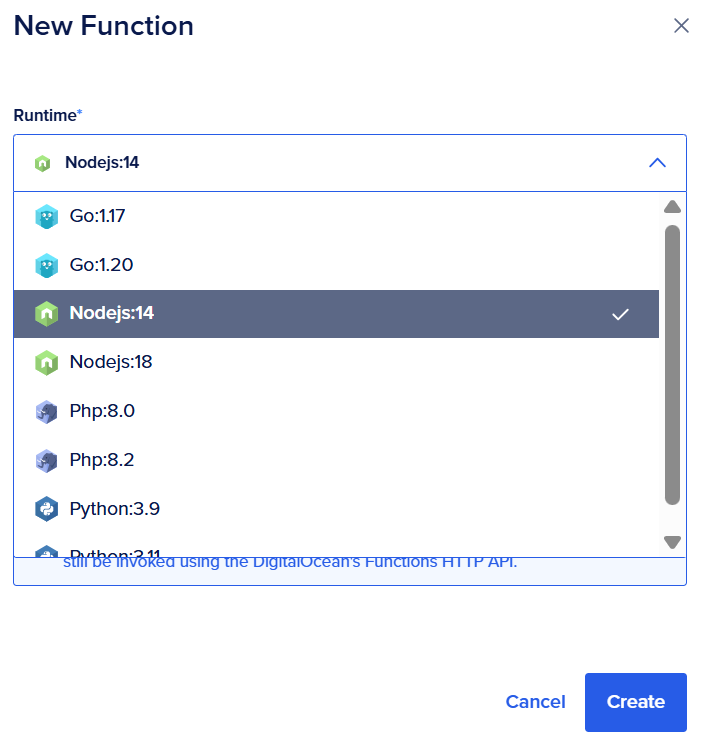
DigitalOcean Functions natively supports Node.js, Python, Go, and PHP, covering the most common serverless use cases. The web dashboard grants access to common runtimes.
For other languages or frameworks, besides preconfigured options, developers use custom runtimes via the DigitalOcean Functions CLI (aka, the doctl). Advanced configuration, like custom runtimes and project-level settings, is handled through this interface, offering flexibility without the complexity of platform-specific configuration
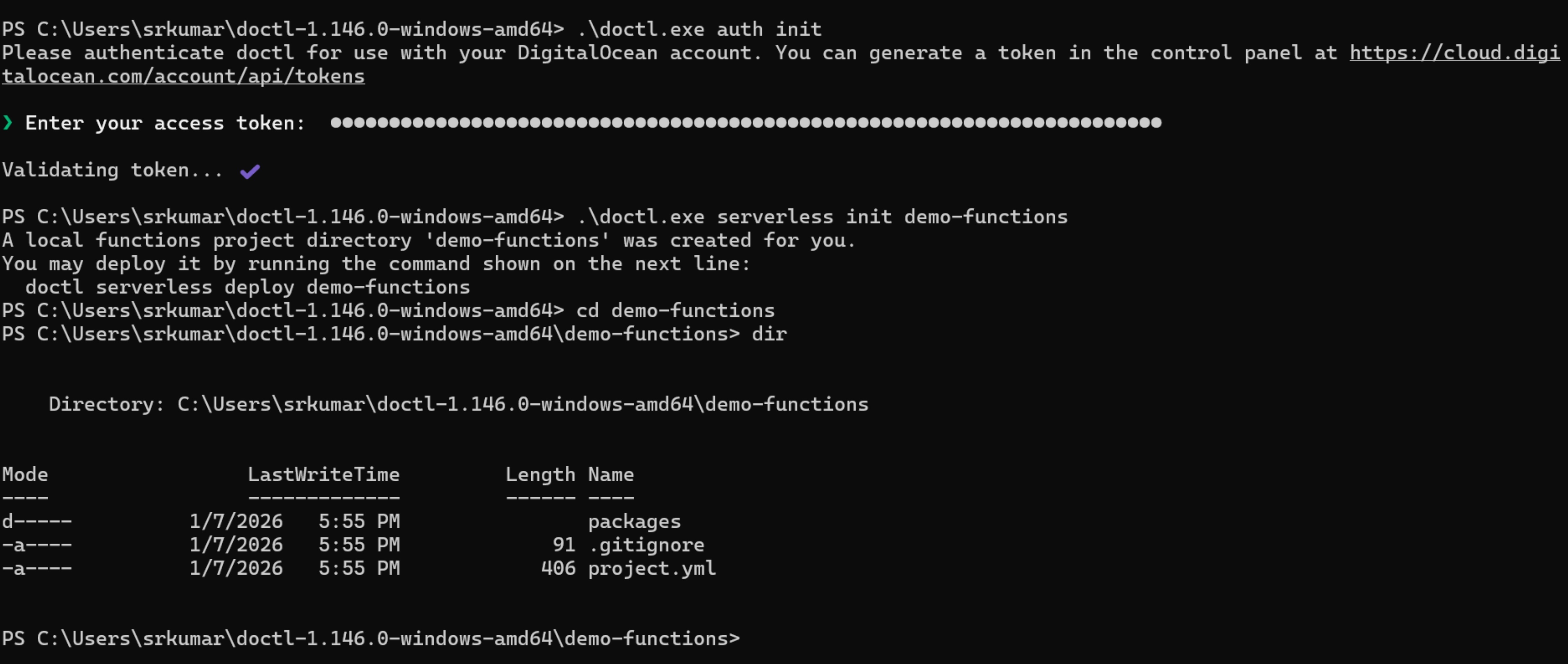
AWS Lambda supports a range of native runtimes like Java, Python, Node.js, Go, C#, PowerShell, and Ruby. The language range supports diverse workloads, but each runtime operates within AWS-specific tooling and conventions. AWS enforces a defined runtime lifecycle, requiring ongoing monitoring and upgrades as runtimes approach deprecation. This might lead to additional configuration effort and indirect costs, such as data transfer costs when integrating multiple AWS services. Conversely, DigitalOcean Functions abstracts lifecycle management. It does not require users to track explicit runtime deprecation schedules, which can reduce maintenance effort for common serverless workloads.
Here’s more context about how AWS Lambda runtimes work in terms of language-specific runtime versions and lifecycle considerations:
Learn what can make AWS complicated and how teams can reduce friction and simplify their cloud setups.
Handling HTTP requests
DigitalOcean Functions provides direct HTTP endpoints for each function. Developers invoke functions over HTTP without an intermediary gateway. This process simplifies request handling and reduces the number of components involved in building and operating APIs.
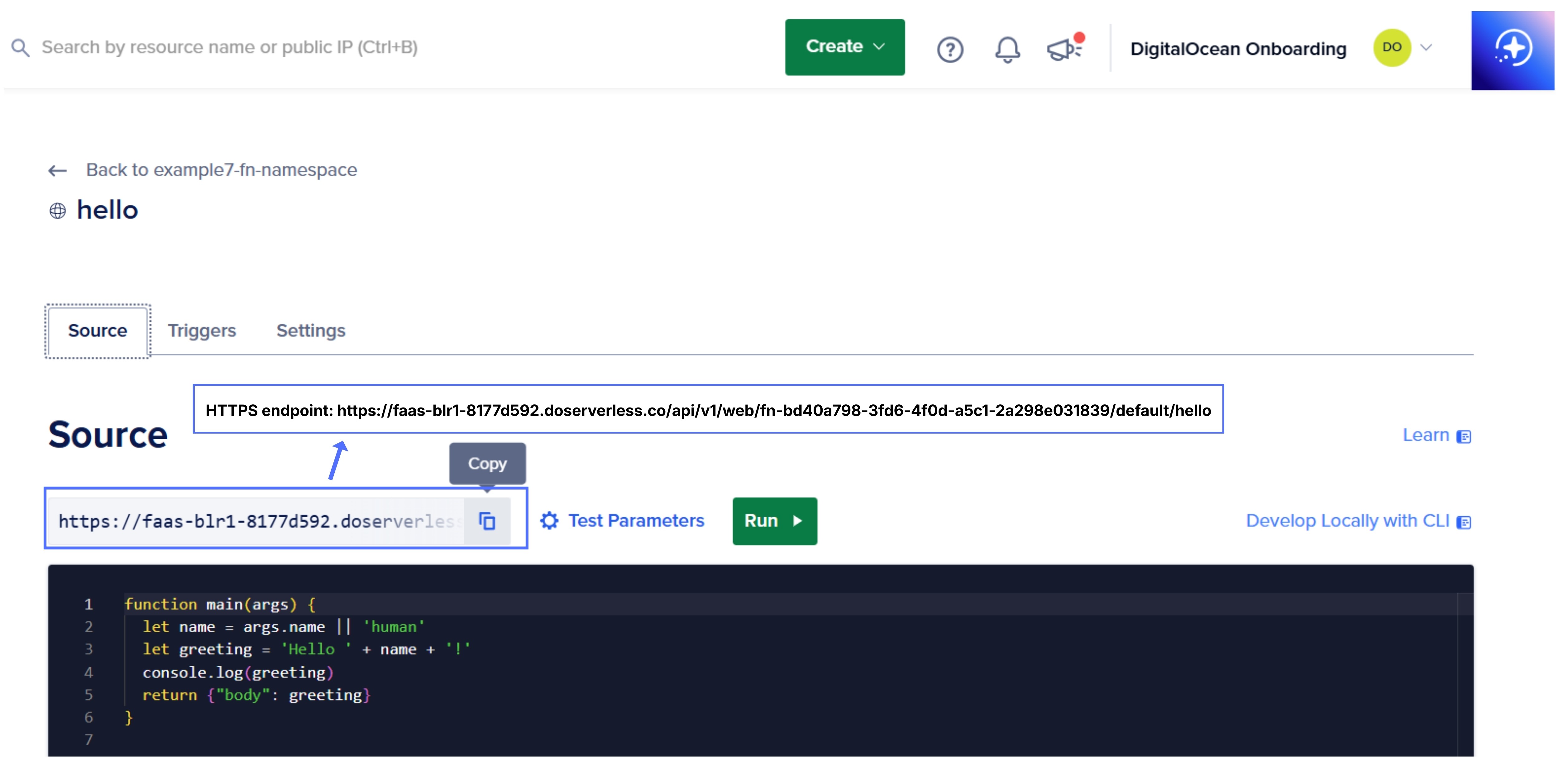
AWS Lambda processes HTTP requests through Amazon API Gateway, which handles routing, authentication, throttling, and other relevant API concerns. This model introduces an additional service layer that requires configuration and ongoing management.
For more context, here’s how to build a serverless API using AWS API Gateway and AWS Lambda, with a focus on connecting endpoints to Lambda functions and validating responses in practice:
Ecosystem and integrations
DigitalOcean Functions integrates seamlessly with DigitalOcean products like App Platform and Managed Databases. The ecosystem is developer-friendly, with limited setup complexity, making integrations straightforward to implement.
AWS Lambda is part of the AWS ecosystem. It integrates with AWS services like S3, DynamoDB, SQS, EventBridge, and API Gateway. It requires coordinating multiple services, permissions, and configurations to build and maintain integrations.
Watch a practical walkthrough of using DigitalOcean Functions within App Platform to create application endpoints and connect to databases with minimal setup.
Pricing and cost efficiency
Understanding serverless platform costs helps teams identify additional charges. While AWS Lambda appears to be less expensive, the costs associated with using AWS Lambda can quickly add up, leading to AWS bill shock. Specifically, using AWS Lambda may incur additional costs related to data transfer and other AWS services. Data transferred “in” and “out” of your Lambda functions (from outside the executing region, called egress costs) will be charged at Amazon EC2 data transfer rates. Using AWS services like Amazon S3, AWS Lightsail, or other AWS resources with Lambda may lead to additional charges based on usage.
There are many strategies for AWS cost optimization. AWS pricing can be complex, with various factors like Availability Zones and additional charges:
| Component | Cost |
|---|---|
| Compute time | $0.0000166667 for every GB-second |
| Request charges | $0.20 per 1 million requests |
| Provisioned concurrency | $0.0000041667 per GB-second |
| Ephemeral storage | $0.0000000309 for every GB-second |
| HTTP response stream | $0.008000 per GB |
| Lambda@Edge | $0.60 per 1 million requests |
| Data transfer (cross-region) | Charged at Amazon EC2 data transfer rates |
| Data transfer (same region) | Free when used with services like S3, DynamoDB, SQS, SNS, Kinesis, EFS, and SES |
| VPC and VPC peering | Additional networking charges apply |
| Other AWS services | Billed separately |
Pricing and information accurate as of January 2026.
While AWS Lambda’s base pricing appears low, real-world usage introduces additional charges like those explained above from data transfer, networking, and dependent AWS services, which can accumulate as applications scale. In contrast, DigitalOcean Functions provides a straightforward and cost-effective pricing structure, helping you avoid unexpected expenses that can quickly add up.
Seeking an Amazon S3 alternative? If predictable costs, fast setup, and limited management overhead matter, DigitalOcean Spaces offers a competitive S3-compatible option.
Use cases
Both DigitalOcean Functions and AWS Lambda handle core serverless use cases. DigitalOcean Functions fit scheduled tasks, automation, and notification workflows. For example, they can be used for processing form submissions, handling webhook events, and providing HTTP entry points. The AntStack blog shares a DigitalOcean Functions example on implementing a blog application: CRUD operations are handled through HTTP-triggered functions connected to a managed MongoDB database.
AWS Lambda is used for event-driven processing, data transformation, and backend APIs. It supports multi-step workflows, fault-tolerant processes, and long-running orchestrations. It is used to orchestrate distributed operations across multiple services with payments and data transformation pipelines. For example, applications use AWS Lambda to process high-volume event streams, where each incoming event triggers a function to validate, transform, and store data in real time.
Blue Bay Travel’s small engineering team moved from on-premises infrastructure to DigitalOcean to save time and simplify operations. DigitalOcean Functions, Droplets, Managed Redis, and Volumes have helped the team scale their online travel platform.
Support plans
DigitalOcean support stands out in the cloud computing market because it offers accessible and cost-effective options tailored to the needs of developers at digital native enterprises and AI-native startups.
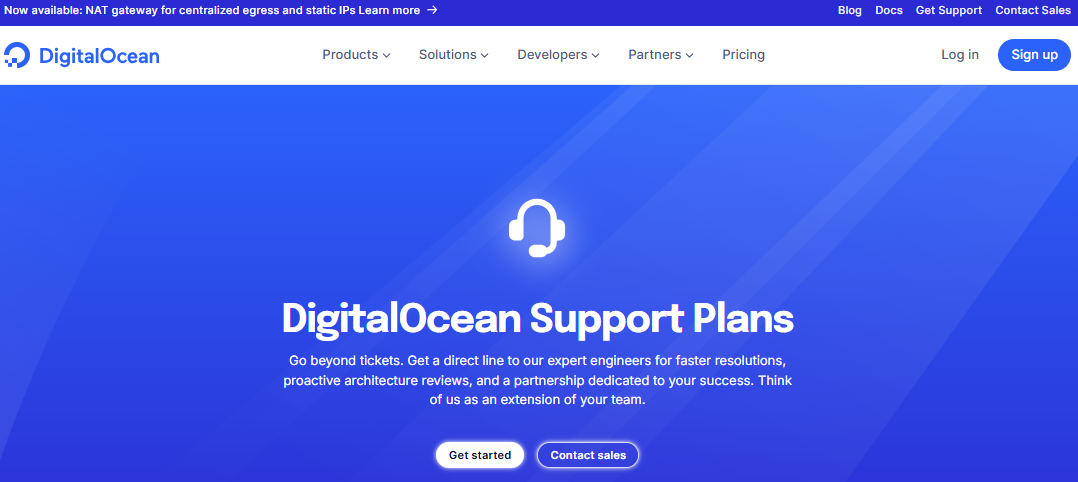
DigitalOcean provides free support to all customers, along with paid support tiers that provide expansive coverage, fast response times, and additional assistance tailored to workload needs.
| Support plan | Price per month | Response time | Average resolution time | Level of support |
|---|---|---|---|---|
| Starter | Free | <24 hours | 48 hours | Customer support staff providing general guidance. |
| Developer | $24 | <8 hours | 16 hours | Customer support staff providing general guidance with quicker response and resolution time. |
| Standard | $99 | <2 hours | 4 hours | Adds live chat and engagement with DigitalOcean’s technical support team for faster troubleshooting and deeper assistance. |
| Premium | $999 | <30 minutes | 2 hours | Direct Slack channel, and priority access to experienced DigitalOcean support engineers for faster response times within 30 minutes. |
Pricing and information accurate as of January 2026
AWS offers a range of support plans, from the free Basic Support plan to the Enterprise Support plan, each with varying access levels, response times, and costs. However, the higher-tier plans, which provide dedicated technical account managers (TAMs) and expedited response times, come at a significant ongoing financial investment.
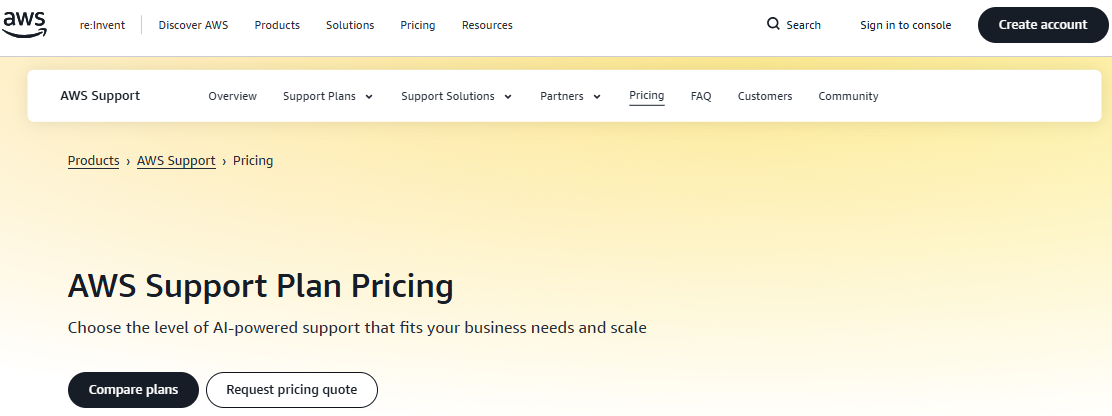
AWS support tiers and pricing are as follows:
-
Basic: 24/7 access to customer service, documentation, whitepapers, and AWS re:Post, AWS Trusted Advisor (core checks for best practices, security, and performance), AWS Health dashboard with health insights and impact alerts.
-
Business Support+: Starts at $29/month per account or 9% of charges up to $10K (whichever is higher).
-
Enterprise Support: Requires a minimum spend of $5,000/month or 10% of monthly AWS usage (whichever is higher).
-
Unified Operations: Starts at a $50,000/month minimum or a percentage of monthly AWS usage (whichever is higher).
AWS does not commit to approximate resolution times for its support plans. In contrast, DigitalOcean offers average response times and average resolution times at affordable prices. There’s also a Slack channel for communication (available with Premium support) for providing resolutions.
While AWS offers multiple support tiers, quicker response times, and access to technical guidance depend on subscribing to the highest-cost plans. Our guide to AWS support response times offers a comprehensive breakdown of how AWS support works across tiers.
AWS Lambda vs DigitalOcean Functions FAQs
Is AWS Lambda cheaper than DigitalOcean Functions?
A proper serverless functions pricing comparison depends on usage patterns. AWS Lambda’s pricing model can be more complex and harder to estimate. DigitalOcean Functions offers simpler, more predictable pricing, resulting in lower and easier-to-manage costs for teams and variable workloads.
Which serverless platform is easier for beginners?
DigitalOcean Functions is easier for beginners due to its simpler setup, fewer configuration options, and integration with a unified platform. AWS Lambda typically has a steeper learning curve when combined with the broad ecosystem of AWS services.
Can you migrate from AWS Lambda to DigitalOcean Functions?
Yes, for many workloads like HTTP handlers, webhooks, and background jobs. The core migration work updates event/request formats and redeploys dependencies. Determine DigitalOcean equivalents to swap with AWS-native integrations. You’ll also need to adjust logging, secrets, and environment variable handling to match DigitalOcean’s workflows.
Can DigitalOcean Functions scale like AWS Lambda?
Yes, like AWS Lambda, DigitalOcean Functions offers the benefit of scaling. DigitalOcean Functions automatically scales in response to incoming events, adjusting execution capacity based on demand without manual configuration. This makes it suitable for handling variable workloads and burst traffic. AWS Lambda also scales automatically, but offers much higher concurrency limits and scaling controls.
What languages are supported by each platform?
AWS Lambda supports languages such as Node.js, Python, Java, Go, C#, Ruby, and custom runtimes. Using a custom runtime requires building and packaging your own execution environment (with a container image or Lambda layer), managing compatibility with Lambda’s Runtime API, and maintaining updates over time. DigitalOcean Functions supports common runtimes like Node.js, Python, Go, PHP, and Ruby. Custom runtimes are built using the CLI—a straightforward process that relies on a simple, local setup rather than managing a full runtime API or container image lifecycle.
Note: Pricing and product information are correct as of January 2026, and subject to change.
Experience the power of simplicity and performance with DigitalOcean
DigitalOcean Functions simplifies your development process by offering a managed serverless computing environment. With DigitalOcean Functions, you can automatically scale based on fluctuating workloads, and only pay for the compute time you use. This efficient setup lets you quickly deploy applications without the hassle of provisioning or managing servers.
DigitalOcean Functions provide the event-driven logic that connects and automates DigitalOcean products:
-
Droplets: Scalable Linux virtual machines tailored to your needs, with options ranging from basic to optimized plans for compute, memory, and storage requirements.
-
Spaces: Secure and cost-effective object storage solution, ideal for storing and serving static assets, backups, and data archives with high durability and availability.
-
Block storage: Attach additional storage volumes for great flexibility to scale storage independently from Droplets and easily migrate data between instances.
-
Load balancers: Distribute traffic across your resources, ensuring high availability, improved performance, and effortless scalability for applications.
-
Databases: Fully managed database solutions for effortless deployment, including PostgreSQL, MySQL, Redis, and Kafka, with automatic backups, failover, and vertical scaling.
-
DigitalOcean Kubernetes (DOKS): Containerized application hosting with Kubernetes clusters, simplifying deployment, scaling, and managing containerized workloads in a production-ready environment.
-
App Platform: Build, deploy, and scale applications effortlessly with a fully managed Platform-as-a-Service (PaaS) solution that supports popular frameworks and languages.
-
One-click Apps: Deploy popular apps and stacks like WordPress, Docker, and LAMP with a single click.
-
DigitalOcean Gradient™ AI Agentic Cloud: Train AI applications using GPU-powered compute, pre-trained models, and tools for agent workflows, RAG, and model evaluation, with integrated storage and scalable infrastructure.
Whether you’re a developer getting started, a digital-native enterprise scaling production workloads, or an AI-native business building applications, DigitalOcean is built for the way you work.
Sign up for a hassle-free cloud experience by exploring DigitalOcean’s offerings today!
About the author

Sujatha R is a Technical Writer at DigitalOcean. She has over 10+ years of experience creating clear and engaging technical documentation, specializing in cloud computing, artificial intelligence, and machine learning. ✍️ She combines her technical expertise with a passion for technology that helps developers and tech enthusiasts uncover the cloud’s complexity.
Start building today
From GPU-powered inference and Kubernetes to managed databases and storage, get everything you need to build, scale, and deploy intelligent applications.